Neptune My360 Account
Note: Before getting started, make sure you have a printed bill or e-bill to reference when creating your account. The account name and address must be entered exactly as they appear on your bill. Account numbers must be entered using dashes (-) .
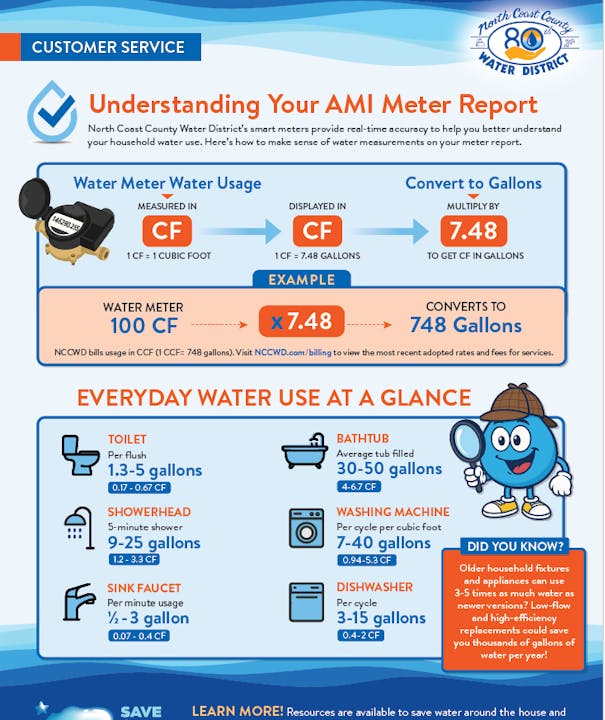
The District is pleased to introduce Neptune My360, a new online platform that allows residents to monitor water consumption. This great new feature allows customers to have greater control and visibility of water consumption to support water conservation efforts, detect potential issues, and monitor daily usage.
BENEFITS OF NEPTUNE MY360
- View daily water usage details 24/7 with easy-to-understand charts and graphs
- Set water usage thresholds and receive real-time alerts for potential leaks or abnormal activity
- Reduce high bills and emergency service calls by monitoring your water habits
- Access the online account from computers, tablets, or smartphones —always up-to-date and user-friendly
- Help promote water conservation through better awareness of your water consumption
GETTING STARTED IS SIMPLE
1. To get started, go to NCCWD.my360-app.com
2. Click ‘Create an account’ and agree to the terms and conditions
3. Enter the account number, full name, and street address of the property (reference top right of utility bill)
4. Enter email address and set up the security questions
5. Check email (and spam folder) for ‘New User Registration’ from Neptune360 to create your password.
6. Start monitoring the water consumption dashboard and customize personalized alerts.
To watch an instructional video on the registration process, go to: How to Register for Your Consumer Water Portal
For additional information, please contact the Customer Service Department at 650-355-3462.
Please note: there is no mobile application for My360 at this time, but the website works great on cell phones and tablets.